Why NetClient CS?
NetClient CS Portals: Ultimate Convenience for Your Clients, Their Employees—and You
The simple pricing structure of NetClient CS makes it easy for you to implement and create portals for all your clients. And for your client, using NetClient CS is as simple as accessing your website, clicking the Client Login link, and entering their personalized ID and password.
NetClient CS: Firm Central

From tax gathering and delivery, to file and document exchange, to providing your clients with bookkeeping services, NetClient CS portals are the secure, convenient way to extend your firm's services to your clients.
Offer Tax & Accounting Services Online, 24/7
Your NetClient CS pricing structure includes up to 1,000 base portals for one monthly fee—allowing you to provide portals to virtually all of your clients. And an impressive number of features are included in your flat monthly fee.
Simple Document Organization
Give your clients 24/7 access to electronic copies of their financial documents via NetClient CS online portals. Documents are now available in a single, easy-to-access location. Clients with multiple entities simply select the entity they want from an onscreen list. You can also easily change the names of folders and the folder structure to give your clients a more customized experience.
Tax Return and Source Document Delivery
Tax Return Presentation
Offer your clients a private and secure portal to access an electronic copy of their completed tax returns.
Source Document Flow
Automatically transmit individual client source documents stored in FileCabinet CS to the portal when you push a completed 1040 return from UltraTax CS to NetClient CS.
1040 Individual Client Web Organizer
Give your clients a convenient way to organize tax information and provide it to you via your website. Once it's completed, the information transfers directly into UltraTax CS, eliminating the need to key in data.
Automated Document Delivery
Your clients can access read-only copies of completed tax returns, financial statements, reports, copies of source documents, and more thanks to the streamlined integration with GoFileRoom or FileCabinet CS, our electronic document management systems.
File Exchange
Share working files and exchange information with your clients safely and conveniently via the web. You can also search for files, view file activity history, and upload multiple files at once—including files up to 2 GB in size. Secure 256-bit encryption protects your data as it travels between the data center and your computer.
Bill Pay and Online Invoicing
Practice CS users can post invoices and/or collect payments using credit/debit cards directly and conveniently through NetClient CS portals.
News and Information
Offer your clients access to industry-related articles and information.
Stock Quotes
Keep your website visitors coming back by posting an online ticker that displays continually updated information on stock market indexes or selected individual stocks.
Portal Creation in Practice CS
Creating portals and communicating with your clients via their portals is now easier than ever thanks to the newest features of NetClient CS:
Practice CS users can add new portals directly from the program, giving you the ability to transfer files, request electronic signatures, and more—and creating endless collaboration opportunities for you, your clients, attorneys, bankers, and other third‑party contacts.
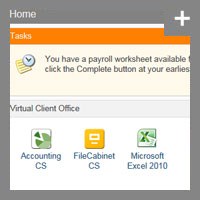
NetClient CS accounting services online home dashboard
Messaging Center
Alert your clients to items that require their attention—they'll see the messaging center as soon as they log into their NetClient CS portals.
NetClient CS Mobile App
The free NetClient CS mobile app, which is branded for your firm, makes it even easier for you to offer 1040 and business clients on-the-go-access to tax returns, financial statements, online accounting and payroll services, payroll data, and much more.
Home Dashboard Customization
Make your Home Dashboard your own with the drag-and-drop feature, which allows you to easily arrange the widgets in the way that works best for you. Quickly navigate to frequently-accessed screens, view news in one click, get a snapshot of financial portfolios, and more.
View Your Clients' Portals
The View Portal feature allows you to see exactly what your clients see when they access their portals, enabling you to assist them with questions more efficiently.
Customize Email Notifications to Match Your Firm's Brand Strategy
Ensure that important communications don't get confused as spam with customized email templates. Change the sender name, email address, subject, body text, and even add images to the headers and footers of email notifications. Clients will quickly recognize communications coming from your firm.
NetClient CS Add-On Modules
NetClient CS Legal and Business Forms
Expand your services as your clients' trusted advisor by offering them basic legal and business forms through NetClient CS Legal and Business Forms, powered by LegalStreet.
Available via the convenience of NetClient CS online portals, this feature will give you and your clients access to an easy-to-use online forms library tailored for engagements with business owners.
To learn more, check out the NetClient CS Legal and Business Forms Fact Sheet.
In addition to all the portal features included in your flat monthly fee, you can customize each portal with add-on modules based on individual clients' needs. These add-on modules, which are available in a per-month, per-portal pricing structure, offer you and your clients not only more options, but more convenience, more time savings, and more streamlined workflow.
Payroll Services
Remote Payroll Data Entry
Enjoy fast, efficient payroll data exchange with your clients and seamless data flow directly into your Accounting CS Payroll software. Clients enter payroll data 24/7 from any location, and it flows directly into Accounting CS Payroll for processing.
Remote Check Printing
After generating payroll check information, you can release the completed information back to your clients and allow them to print their own payroll checks using their laser printer. Remote Check Printing can be used with or without Remote Payroll Data Entry.
Employee Self-Service
Extend the power of the Internet to your clients' employees with Employee Self-Service. Give them access to electronic copies of their payroll information, including paycheck stubs, W-2s, W-4s, earnings history, time entry—and even allow them to make changes to their W-4s from their portals. Employee portals save your clients time and effort by virtually eliminating the need to manually locate, copy, and deliver payroll information to their employees.
When combined with NetClient CS and Accounting CS Payroll, Employee Self-Service represents another step toward making payroll processing more efficient and profitable for your firm, and can help you achieve what was previously unthinkable...a totally paperless payroll process. With tools like Employee Self-Service and NetClient CS at your command, it's easy to offer your clients exceptional service and compete with the larger payroll service bureaus.
Other Modules
NetClient CS Legal and Business Forms, Powered by LegalStreet
Expand your services as your clients' trusted advisor by giving them access to basic legal and business forms through NetClient CS Legal and Business Forms, powered by LegalStreet. Learn more in the NetClient CS Legal and Business Forms Fact Sheet.
Remote Payment Authorization
Act as controller for your clients, who simply transfer control of their check writing and accounts payable tasks to your firm authorizing you to make payments on their behalf.
Account Aggregation
Your clients can collect their financial information from a variety of sources and view it in a single location, making it easier to analyze their total financial holdings.
Virtual Client Office is a collection of software that enables you to offer your business clients online access to key software such as Accounting CS Client Access, QuickBooks®, FileCabinet CS, SmartVault, and Microsoft Office.
Offer your clients customized, controlled, 24/7 access to Accounting CS from a secure, password-protected NetClient CS portal on your website. By sharing a common database, the same user interface, and the same real-time data with your clients, you have greater control over the financial activity of their business and eliminate the need to import and export data. You and your client operate in real time—all the time!
Back to top